
Why LANtern?
When something breaks at home, the answer is spread across a router, a NAS and the Home app. LANtern reads them for you, works out what’s wrong, and helps you fix it.
Network management is stuck in 2005
Router admin panels were designed for IT professionals. But today, everyone depends on their home network.
Complex Admin Panels
Traditional router UIs bury critical settings behind dozens of menus, tabs, and pages. Finding what you need takes minutes, if you can find it at all.
Jargon Overload
VLAN tagging, DHCP reservations, WPA3-Enterprise. Most people just want their WiFi to work. The learning curve shouldn't require a networking degree.
Blind Spots
Unknown devices on your network, unexplained slowdowns, mysterious connection drops. Diagnosing issues means cross-referencing multiple screens and logs.
A fundamentally different approach
LANtern replaces complexity with conversation. Here's what sets it apart.

Ask What’s Wrong
Just ask. “Who’s on my network?” “Why is my connection slow?” “Which accessories are unavailable?” LANtern reads your systems and answers. No menus, no hunting.
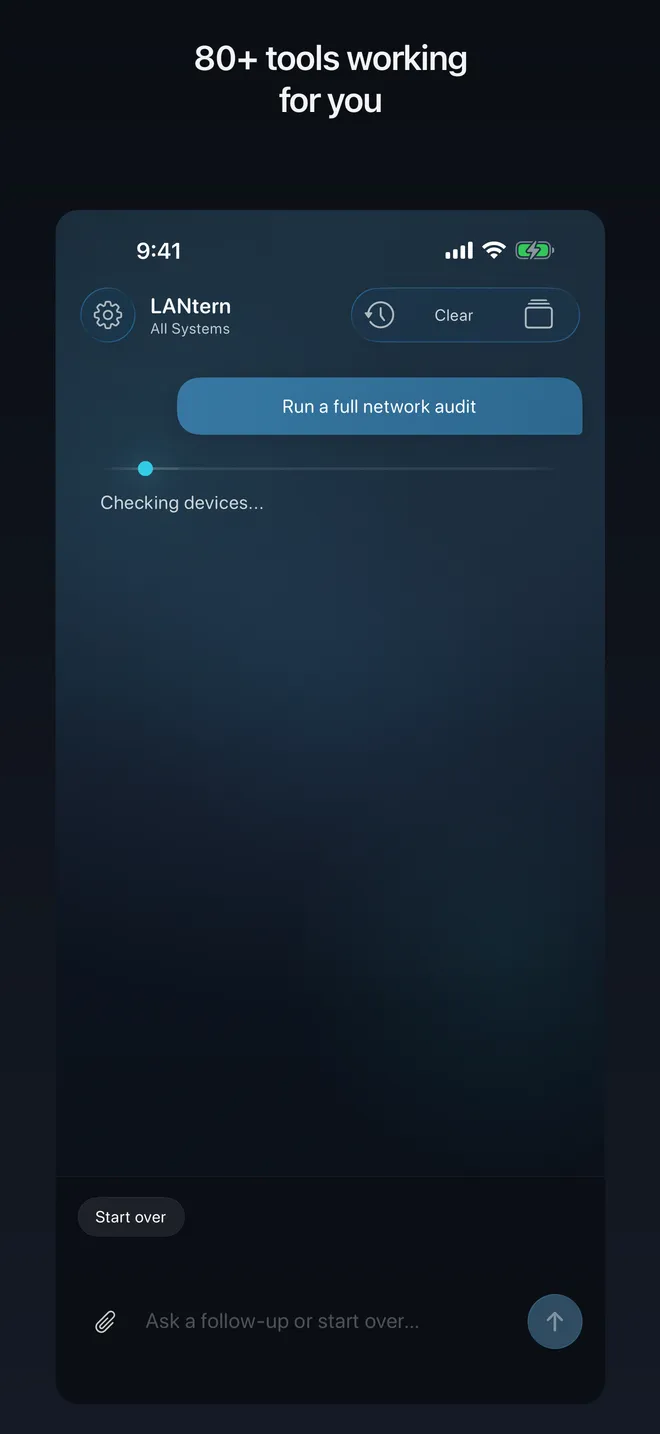
AI That Understands Networking
Powered by Claude, LANtern doesn't just parse keywords. It understands context. Ask follow-up questions, get explanations, and see which systems it read to answer.
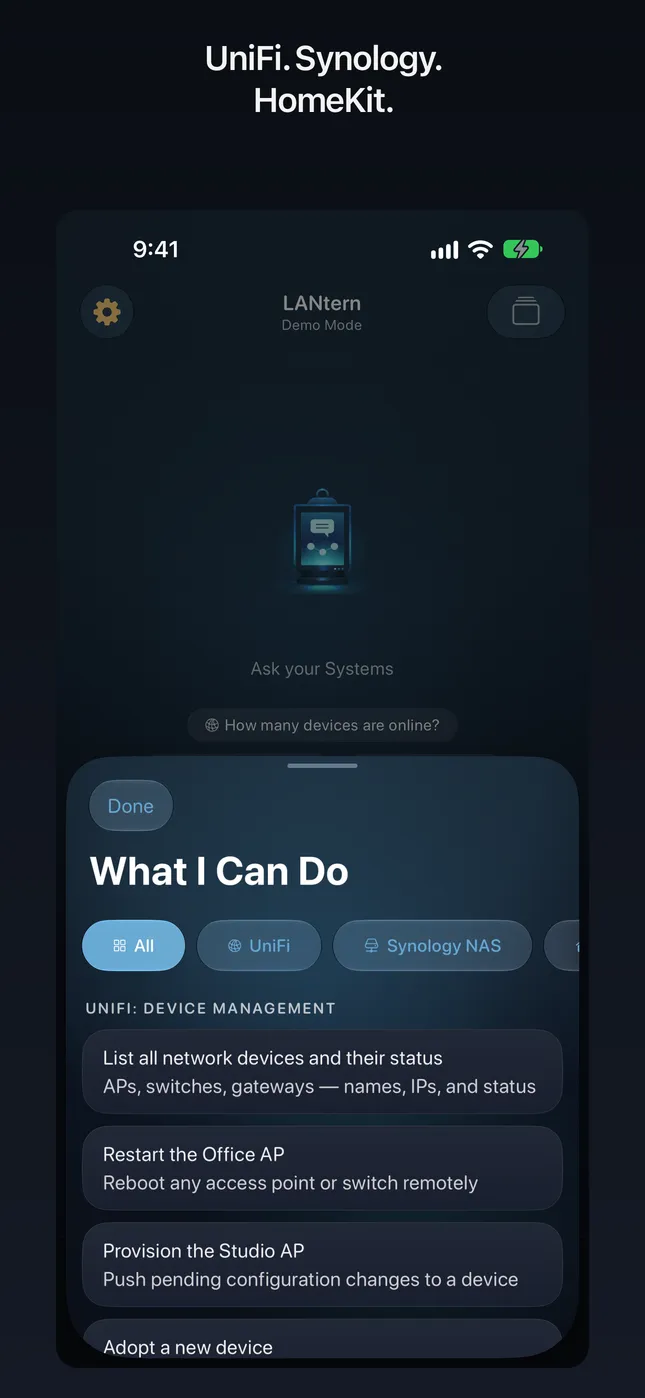
80+ Tools, One Conversation
Diagnostics, network management, NAS storage, security cameras and your HomeKit home, from which accessories aren’t responding to whether the home hub is connected. Three platforms’ worth of tools in a single chat.
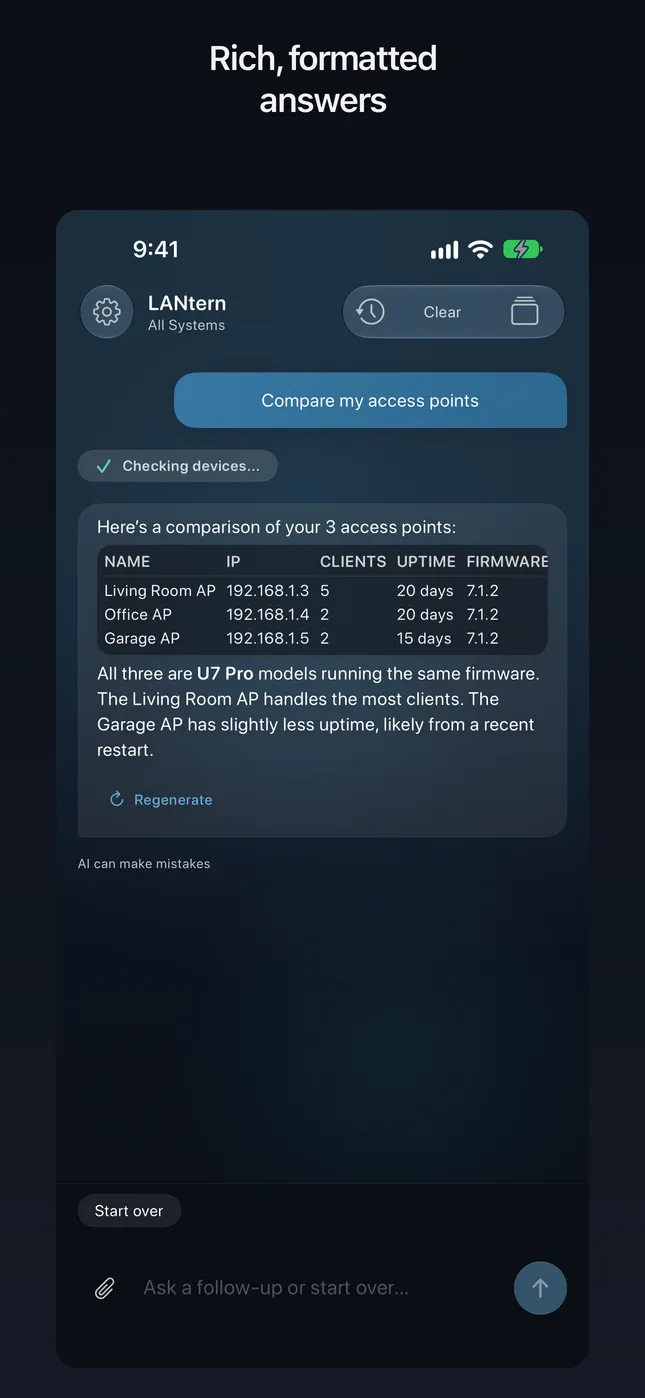
Answers You Can Read
Tables, comparisons and plain-English explanations instead of raw controller output. Ask LANtern to compare your access points, and it tells you which one is working hardest and what that likely means.
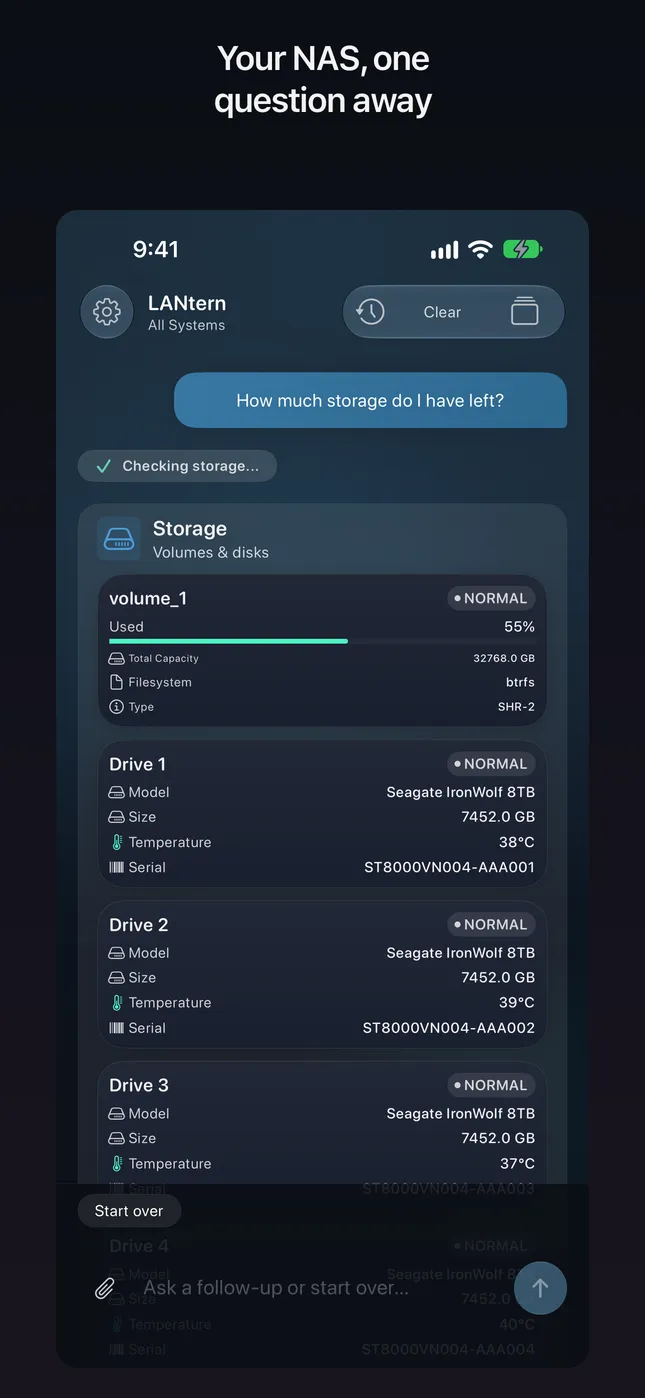
Your NAS, One Question Away
System health, shared folders, file search and Download Station, in plain English, as far as your DSM account allows. LANtern connects to the DSM address you configure, locally or remotely; your NAS login is stored in the iOS Keychain and only ever sent to your NAS.
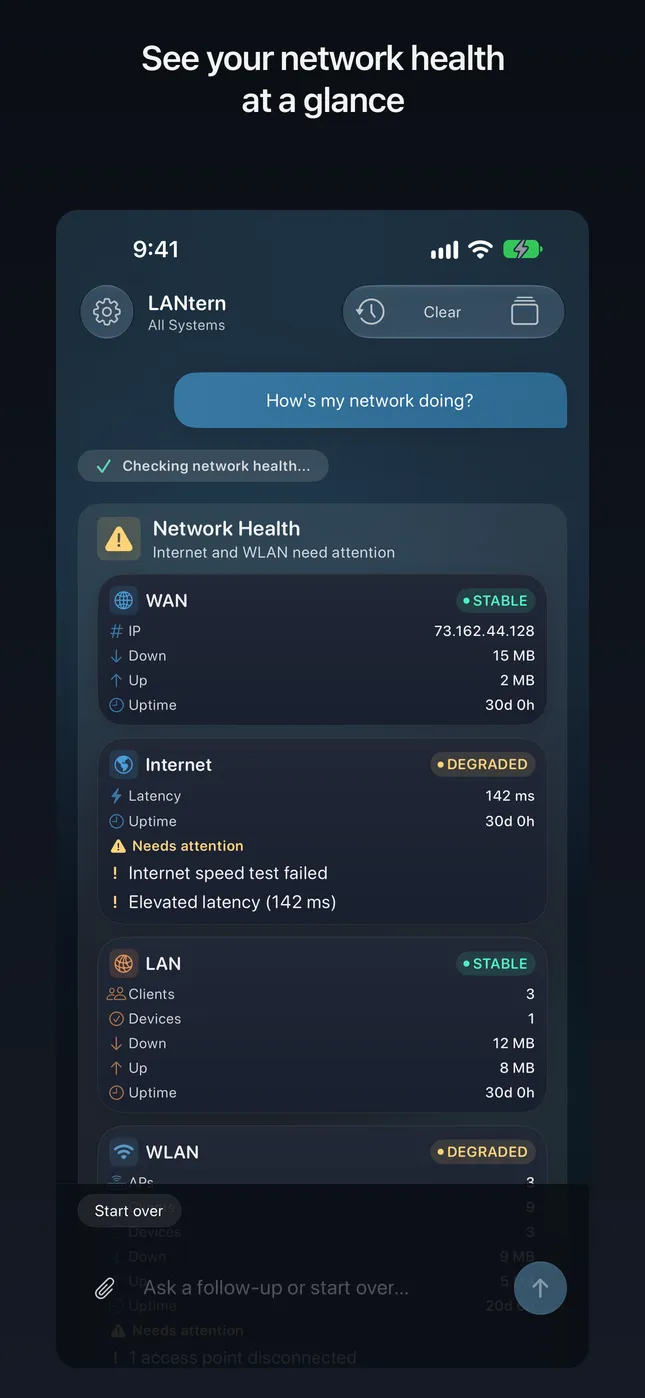
Network Health at a Glance
See clients, throughput, and access-point status without digging through admin panels. LANtern surfaces what matters and explains the rest — so diagnosing issues feels like a conversation, not a forensic exercise.
See the difference
The same tasks, two very different experiences.
Open the UniFi app, sign in, look over devices, then scroll the alarm list
“Check my network in LANtern”, said to Siri
Open controller, go to Clients, scroll through dozens of entries, cross-reference MACs, check each status
"Show me all connected devices and flag any I don't recognize"
Open the Home app, scroll every room for No Response, then check the home hub
"Which accessories are unavailable?"
Dig through screenshots, notes and controller logs for what you saw last week
“Search reports in LANtern”, said to Siri